
Run the whole job from the van.
The jobsite app for trades that run jobs — electricians, builders, carpenters, plumbers. Roster the crew, track time on site, run your contract and Cost+ jobs, and know what every job actually costs.
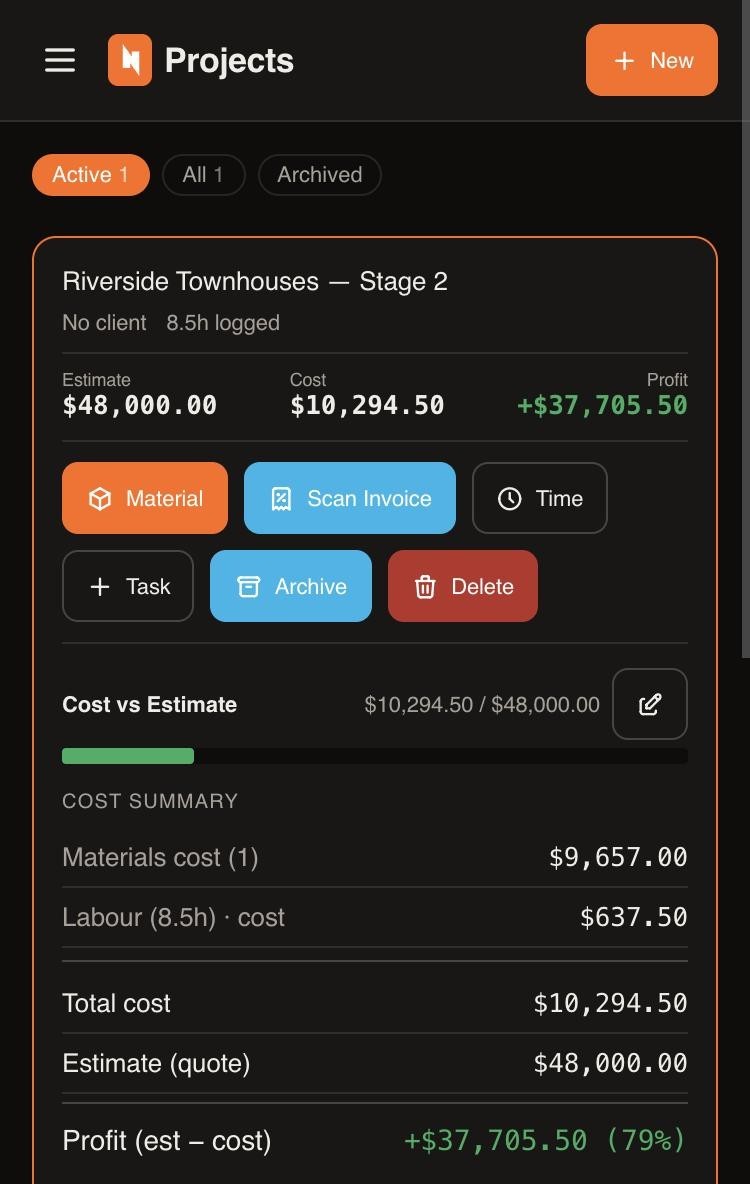
One app from first fix to final claim.
Stop stitching together timesheets, photos of dockets and a spreadsheet. NextSheet keeps the whole job in one place — and keeps the costs honest.
Time entries
Log hours against a project or a Cost+ job — start, finish, labour type, done. Each person logs their own; admin sees the lot.
Scheduling & roster
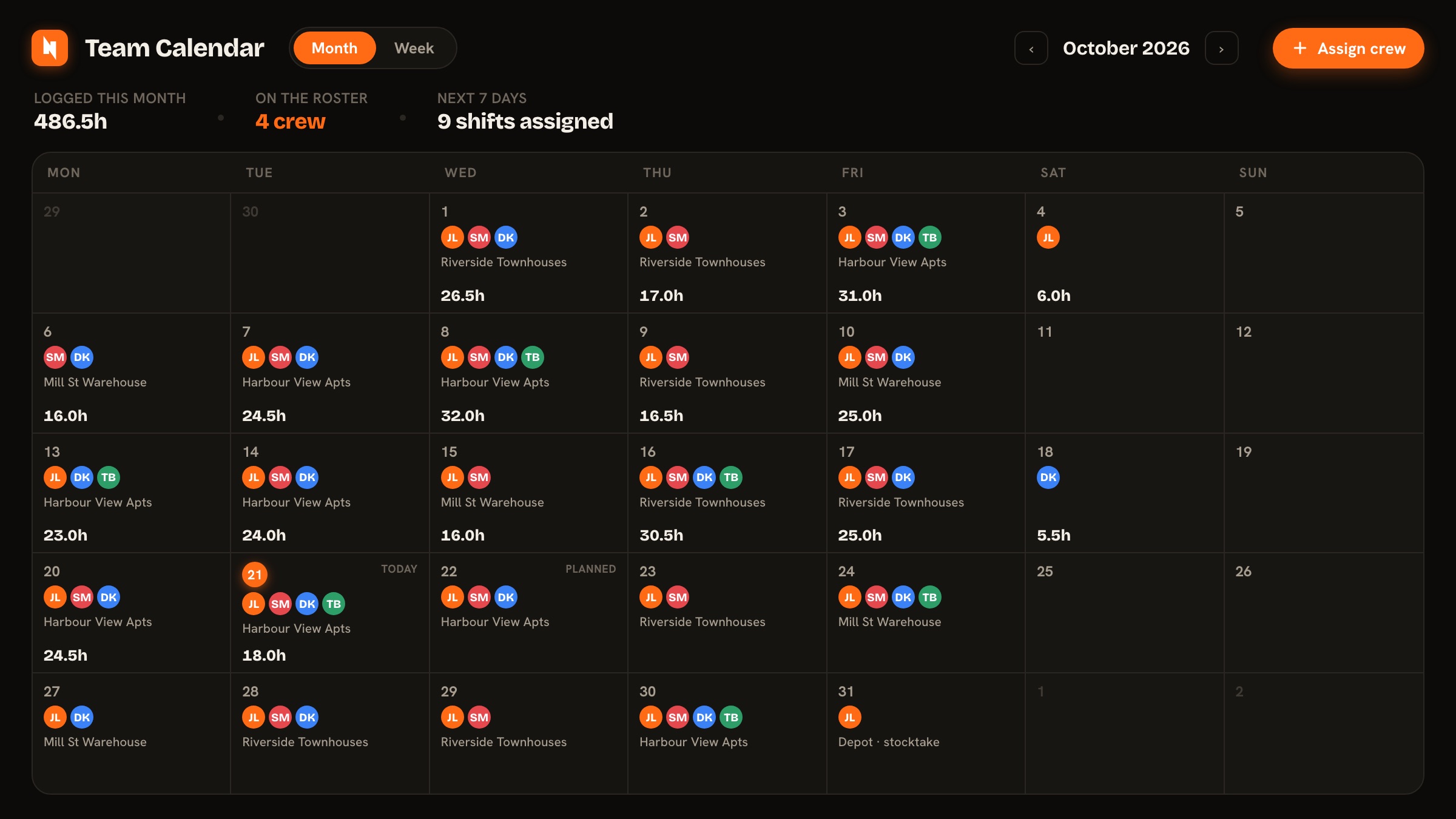
One calendar for the whole crew — roster who's on which site ahead of time, and it fills in with the real hours as they land. Plan versus actual, in one place.
Materials & favourites
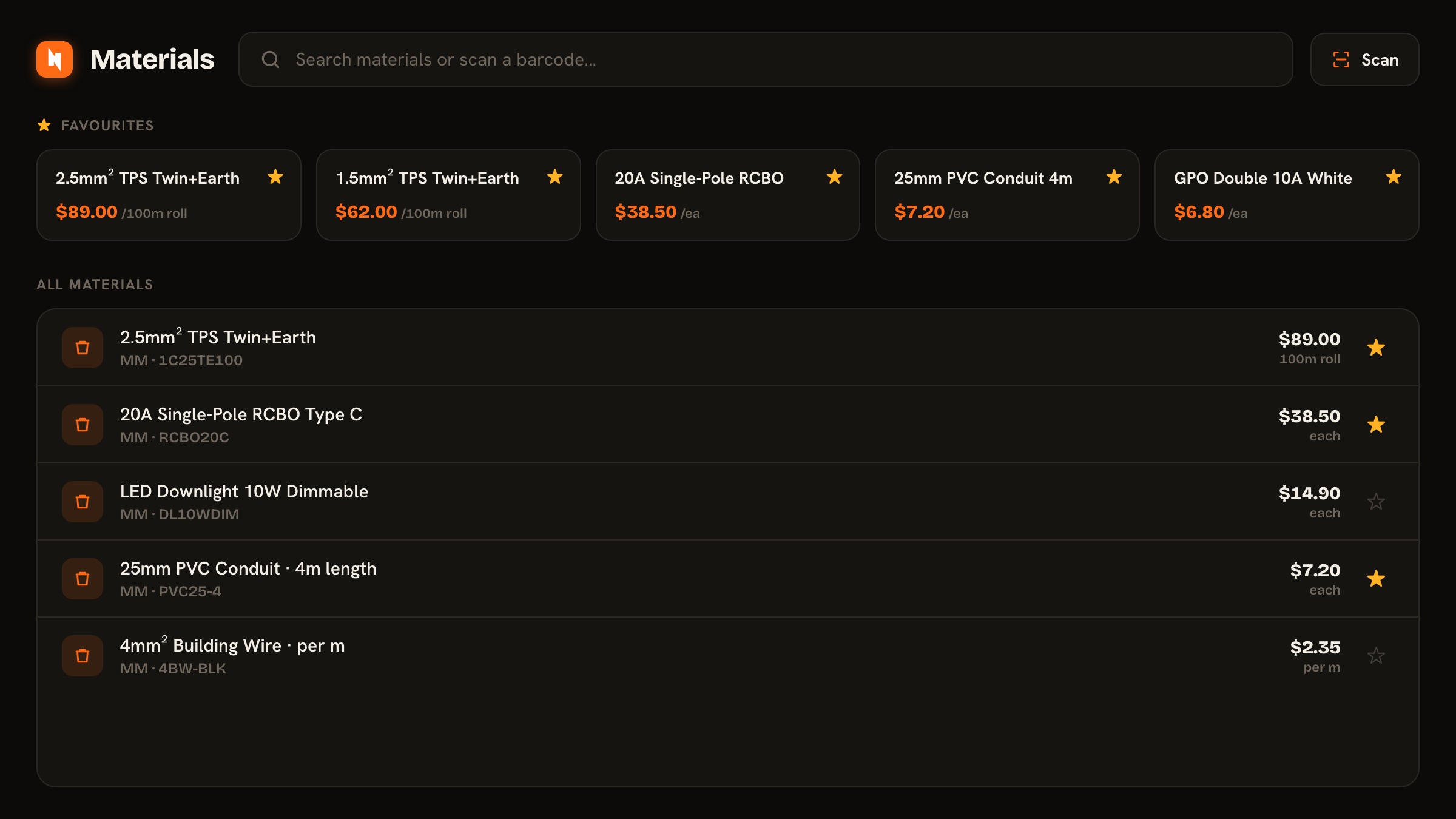
Add materials by barcode or straight from the catalogue. Star your go-to items so your daily gear is one tap away.
Scan supplier bills
Snap a tax invoice and the line items are read for you and filed against the right job — no re-typing dockets at the kitchen table.
Cost+ jobs
In-and-out work billed at cost plus your markup. Add time and materials, and the invoice builds itself.
Claims & invoices
Schedule of works, progress claims per item, retention withheld and released, a clean PDF out — or push the invoice straight to Xero.
Xero, two ways
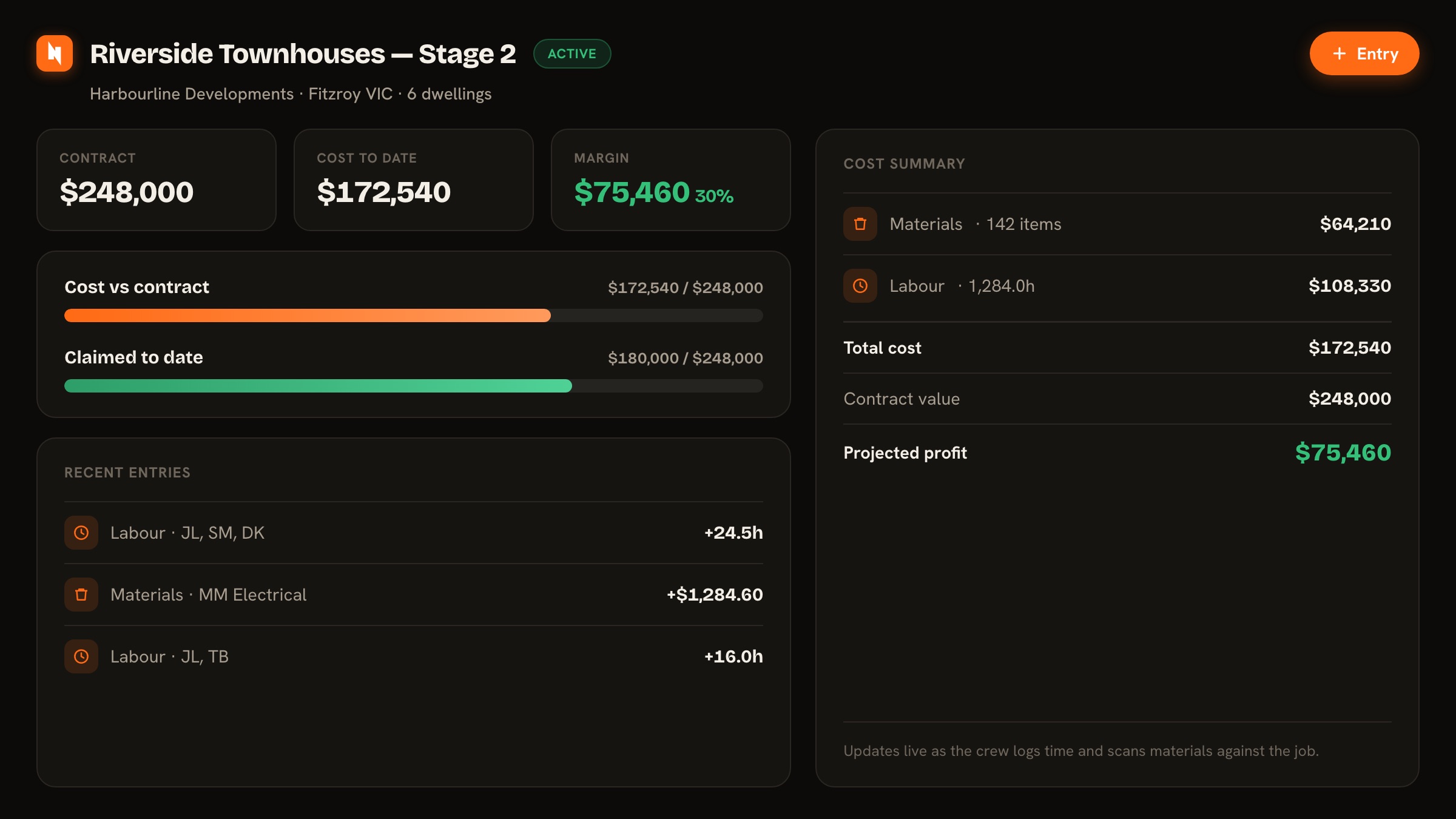
Pulls in your projects, contacts and chart of accounts; pushes out sales invoices and draft supplier bills coded to the right account.
Xero — or no accounting at all
Connect Xero once and the whole admin team can use it anywhere — scan a bill or send an invoice from your phone on site. On MYOB or no accounting software? Start with just your business name and connect accounting later.
Plans & drawings
Open the job's drawings right on site — scale off them, measure, and drop pins exactly where the work is. The whole crew stays on the current set.
Compliance & ITPs
Fill out Inspection & Test Plans against the job and keep the sign-offs with it — the compliance paperwork handled in the same app as the work.
Geofenced time
Set a jobsite and the app clocks you on as you arrive and off as you leave — no forgotten start times, no guessed hours on the timesheet.
Procore drawings Coming
Working under a builder on Procore? Their latest drawing revisions pull straight into the project's plans — the crew's always on the current set, auto-notified the moment it changes.
From the roster to the final dollar.
Real screens from the app — plan the crew, log the hours, scan the bills, and watch the margin as the job runs.
Made for a phone, a van and patchy signal.
No laptops, no logins to forget, no dead zones. NextSheet lives on the home screen and keeps working whether you've got bars or not.
- Works offlineLog time and materials with no signal — it syncs the moment you're back in range.
- One shared source of truthAdmin sees the money and the margin; the field sees the work. Everyone's on the same data.
- Costs stay privateRates, markup and profit are for the office only — never shown on an apprentice's phone.
For trades that run jobs, not just service calls.
Purpose-built for project and contract work — fixed-scope contracts, Cost+ jobs and the crew that does them, with the costs visible the whole way. Built by electricians, now running jobs for builders, carpenters, plumbers and more. Pick your trade at setup and the app speaks your language. Not a generic field-service dispatcher.
Simple pricing. Put the whole crew on.
A sole-trader rate if it's just you, a full seat for the office, and a cheaper one for everyone on the tools — so adding your crew never breaks the bank. No setup fees, no lock-in, billed monthly.
- Full access — every feature, one user
- Scheduling, job costing, Cost+ & claims
- Bill scanning, materials & two-way Xero
- Add a mate anytime — just add a seat
- Everything — full access to every feature
- Costs, markup, margin & profit
- Progress claims, invoices & two-way Xero
- Manage the team & what they can see
- Log time, materials & job photos
- Barcode lookup, favourites & offline
- See their own jobs & hours
- No costs, margin, invoicing or admin
Put the whole job in your pocket.
Open NextSheet, add it to your home screen, and run your next job from the first fix to the final claim.